28 May 2026
- 0 Comments
Have you ever looked through a telescope and felt disappointed because Mars looked like a tiny, blurry dot? You probably cranked up the eyepiece to maximum power, hoping for a closer view. But instead of a detailed globe, you got a dark, fuzzy smudge. The problem wasn't your eyes or even the weather. It was a misunderstanding of how planetary apparent size works.
We often confuse "magnification" with "size." We think that if we double the magnification, the planet will look twice as big in our field of view. That is partially true, but it misses the most critical factor: the planet's actual angular diameter in the sky. Without understanding this relationship, simulating or predicting what a planet will look like is just guessing. Let’s break down the math and the mechanics so you can stop guessing and start seeing.
The Myth of Infinite Magnification
In movies, telescopes are magic wands. You point them at Jupiter, and suddenly you can see the Great Red Spot clearly. In reality, telescopes are limited by physics. The first thing to grasp is that magnification does not create detail; it only spreads existing light over a larger area. If the object isn't providing enough resolution, zooming in just makes the blur bigger.
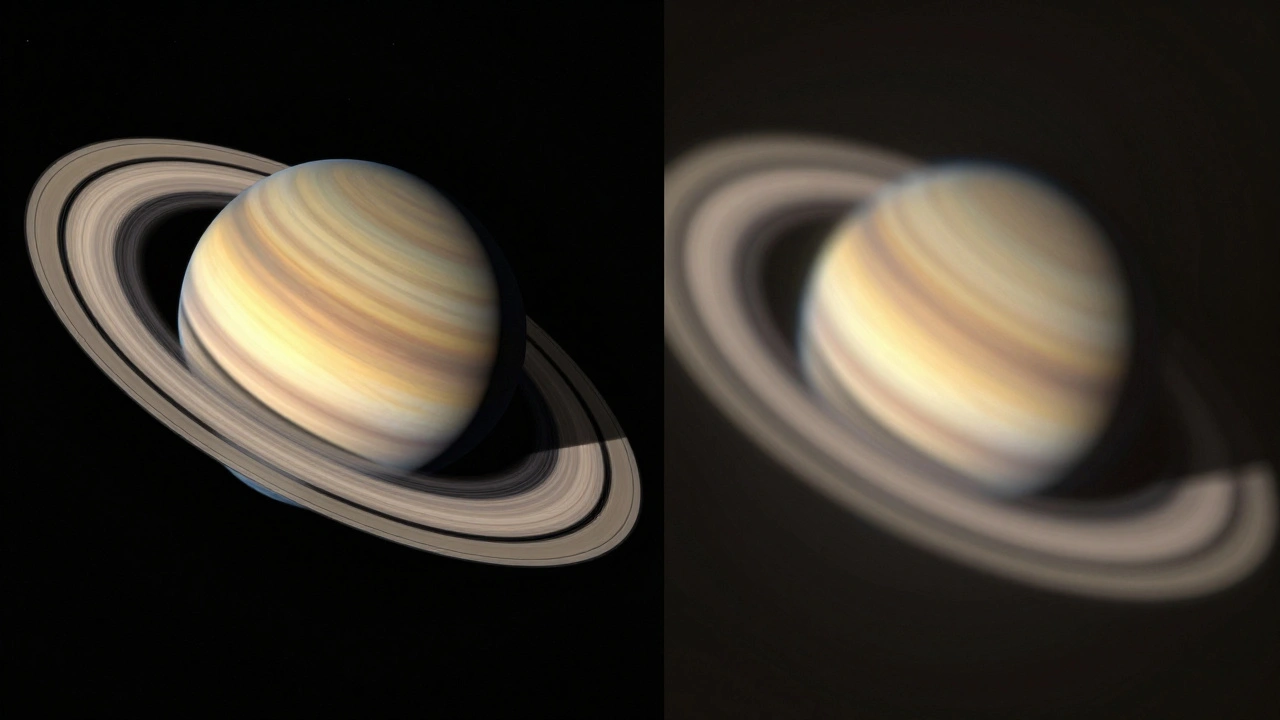
Consider Saturn. At its best opposition, Saturn might have an angular diameter of about 20 arcseconds. If you use a 100x magnification, that disk expands to fill a significant portion of your eye's view. But if you push to 300x, you aren't revealing new rings. You are taking those same 20 arcseconds and stretching them until they become too dim and soft to resolve. This is why high magnification often leads to disappointment. The key is matching the magnification to the angular diameter of the target.
Understanding Angular Diameter
Angular diameter is the angle subtended by an object at the observer's eye. Think of it as the visual width of the planet measured in degrees, minutes, or seconds. The Moon is easy to visualize: it spans about 0.5 degrees, or 30 arcminutes (1800 arcseconds). Planets are much smaller.
- Venus: Can range from 10 to 60 arcseconds depending on its distance from Earth.
- Mars: Varies wildly. At its closest (opposition), it can reach 25 arcseconds. At its farthest, it shrinks to less than 4 arcseconds.
- Jupiter: Typically ranges between 30 and 50 arcseconds.
- Saturn: Usually sits around 15 to 20 arcseconds.
These numbers seem tiny. To put it in perspective, a standard sheet of paper held at arm's length covers about 2 degrees of the sky. A planet like Mars at its smallest is thousands of times thinner than that sheet. When you simulate planetary views, you must start with these raw angular values. They are the baseline truth before any glass touches the light.
The Math Behind the View
To simulate how large a planet appears through a telescope, you need a simple formula. The apparent size in your eyepiece depends on two things: the planet's natural angular diameter and the telescope's magnification.
Apparent Size (arcminutes) = (Natural Angular Diameter in arcseconds × Magnification) / 60
Let’s run a real-world example. Imagine you are observing Jupiter when it has an angular diameter of 40 arcseconds. You attach an eyepiece that gives you 100x magnification.
- Multiply the natural diameter by the magnification: 40 × 100 = 4000 arcseconds.
- Convert arcseconds to arcminutes by dividing by 60: 4000 / 60 ≈ 66.7 arcminutes.
So, Jupiter will appear to span nearly 70 arcminutes in your view. Since the full Moon is 30 arcminutes, Jupiter will look more than twice as wide as the Moon. Does that mean it looks huge? Not necessarily. While the disk is wider, the brightness drops significantly. Human perception is tricky. A wide, dim disk often feels smaller than a bright, compact one.
Magnification Limits and Resolution
You cannot simply increase magnification forever. There is a hard limit called the Rayleigh criterion, which defines the minimum separation required to distinguish two points as separate. For amateur telescopes, a practical rule of thumb is that the maximum useful magnification is roughly 50x per inch of aperture (or 2x per millimeter).
| Aperture (Inches) | Max Useful Magnification | Ideal for Planets? |
|---|---|---|
| 4 inches | ~200x | Good for Jupiter/Saturn |
| 6 inches | ~300x | Excellent for details |
| 8 inches | ~400x | Best for Mars/Venus |
If you exceed this limit, you enter the realm of "empty magnification." The image gets larger, but no new details emerge. In fact, atmospheric turbulence-often called "seeing"-becomes the dominant factor. On a shaky night, even a small telescope at low power can show planets dancing and blurring. Simulating accurate views requires accounting for this atmospheric noise, not just the optics.
Simulating Realistic Views
If you are building a software simulation or trying to predict your own viewing experience, you need to layer three factors:
- Geometric Scale: Use the formula above to determine the pixel width or angular width of the planet.
- Brightness Loss: As magnification increases, surface brightness decreases. A planet at 200x will be significantly dimmer than at 50x. Your simulation should darken the image proportionally.
- Atmospheric Blur: Apply a Gaussian blur filter based on current seeing conditions. Good seeing allows sharp edges; poor seeing smears features together.
For instance, if you simulate Mars at 10 arcseconds with 150x magnification, the disk is 25 arcminutes wide. However, if the seeing is poor, the effective resolution might drop to 2 arcseconds. This means fine details like polar ice caps will vanish, leaving only a reddish blob. Accurate simulations must degrade quality based on environmental variables, not just optical ones.
Common Pitfalls in Planning
Many beginners fall into the trap of buying expensive eyepieces without considering their telescope's aperture. They assume that a shorter focal length eyepiece equals better views. This is false. A 4-inch telescope pushing 300x will struggle to show a clear image of Venus, regardless of how good the eyepiece is. The aperture collects the light; the eyepiece merely spreads it.
Another mistake is ignoring phase angles. Venus and Mercury go through phases like the Moon. When Venus is at its largest angular diameter, it is also a thin crescent. When it is nearly full, it is at its smallest. Simulating Venus requires adjusting both the size and the illumination percentage based on its position relative to the Sun and Earth.
Practical Tips for Observers
If you want to get the most out of your planetary observations, follow these steps:
- Check Ephemeris Data: Before you observe, look up the planet's current angular diameter. Websites like Stellarium or SkySafari provide this data.
- Start Low: Begin with lower magnification (e.g., 50x-100x) to locate the planet and assess stability. Increase power only if the image remains steady.
- Use Filters: Color filters can enhance contrast. A blue filter helps reveal cloud bands on Jupiter; a red filter can sharpen Martian surface features.
- Wait for Stability: Atmospheric seeing changes throughout the night. Often, views improve later in the evening as the air cools and settles.
Remember, the goal is not just to make the planet look big. It is to make it look *clear*. A smaller, sharper image is always superior to a large, blurry one. By respecting the limits of angular diameter and magnification, you transform frustration into fascination.
What is the difference between angular diameter and physical diameter?
Physical diameter is the actual size of the planet in kilometers or miles. Angular diameter is how wide the planet appears in the sky from Earth's perspective, measured in degrees or arcseconds. A small planet close to Earth can have a larger angular diameter than a giant planet far away.
Why does my planet look blurry at high magnification?
Blurry images at high magnification are usually caused by atmospheric turbulence (poor seeing) or exceeding the telescope's maximum useful magnification. When you magnify beyond the limit, you spread the light too thin, reducing contrast and resolution.
How do I calculate the magnification of my telescope?
Magnification is calculated by dividing the telescope's focal length by the eyepiece's focal length. For example, if your telescope has a 1000mm focal length and you use a 10mm eyepiece, your magnification is 100x (1000 / 10).
Does aperture affect planetary viewing?
Yes, aperture is crucial. Larger apertures gather more light and provide higher resolution, allowing you to see finer details. They also support higher maximum useful magnifications before the image becomes empty or blurry.
Can I simulate planetary views on my computer?
Yes, many astronomy software programs like Stellarium, Celestia, or specialized tools like TheSkyX allow you to simulate views through specific telescopes. You can input your telescope's parameters to see realistic representations of planetary disks and features.