30 Apr 2026
- 0 Comments
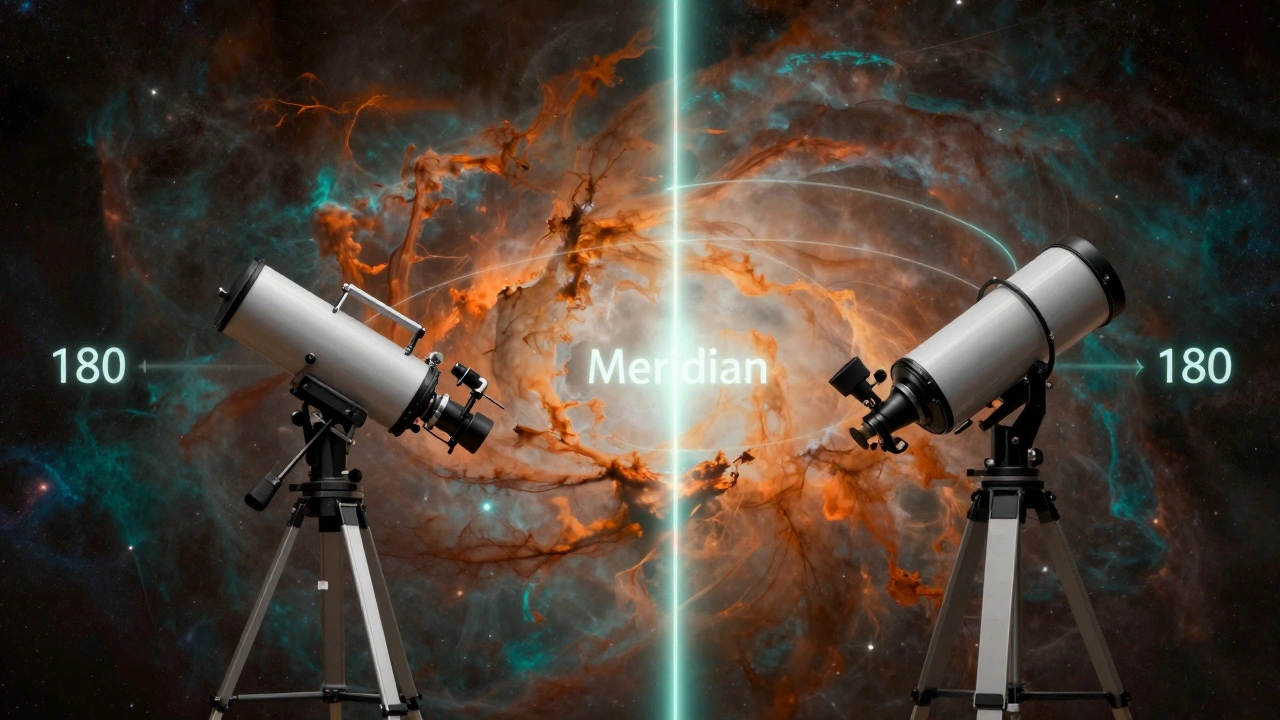
For anyone using a German Equatorial Mount, the Meridian Flip is an inevitable physical reality. It's the point where a celestial object reaches its highest point in the sky-directly north or south of the observer-and the telescope can no longer track it without colliding with the tripod or the mount's own base. To keep following the target, the mount must rotate 180 degrees to the other side. While it sounds simple, the transition is where most astrophotography workflows fall apart.
Главные выводы / Key Takeaways
- The meridian flip is a physical requirement for German Equatorial Mounts to prevent tripod collisions.
- Proper planning involves choosing targets that don't cross the meridian during your primary imaging window.
- Modern automation software can handle flips, but they always require a new plate-solve and refocus.
- Cable management is the single biggest cause of hardware failure during a flip.
What Exactly is the Meridian Flip?
To understand the struggle, we have to look at the German Equatorial Mount (GEM). A GEM is a type of telescope mount designed to compensate for the Earth's rotation by aligning one axis with the celestial pole. Because the telescope is balanced on a center pivot, it can only track an object across the sky for so long before the rear of the telescope tube physically hits the mount's legs.
The Meridian is the imaginary line running from north to south through the zenith. When a target crosses this line, it is at its highest altitude. At this exact moment, the mount must "flip" from the east side of the tripod to the west side to continue tracking. If you're just doing visual observing, you might not notice. But for long-exposure photography, a flip means your current frame is ruined, and your alignment is momentarily lost.
The Logistics of Planning Around the Meridian
The smartest way to deal with a meridian flip is to avoid it entirely during your critical imaging window. You can do this by calculating the "transit time" of your target. Using tools like Stellarium, you can see exactly when an object will cross the meridian.
If you start imaging when a galaxy is in the east and it crosses the meridian at 2:00 AM, you have a choice: stop at 1:45 AM, or plan for a mid-session flip. Many pros prefer the "pre-flip" strategy. They intentionally flip the mount *before* the target reaches the meridian. This allows them to get the awkward transition out of the way while the target is still slightly to the east, ensuring they have a clear, uninterrupted run as the object descends in the west.
| Strategy | Best For | Pros | Cons |
|---|---|---|---|
| Avoidance | Short sessions | Zero downtime; no re-alignment. | Limited total exposure time. |
| Pre-emptive Flip | Full-night imaging | Predictable break; easier cable check. | Requires manual intervention early on. |
| Automated Flip | Remote observatories | Hands-off operation. | High risk of cable snags or software crashes. |
The Technical Hurdle: Re-Acquisition and Plate Solving
The flip doesn't just move the telescope; it changes the orientation of your sensor relative to the sky. Once the mount completes the 180-degree swing, the telescope is usually pointing slightly off-target due to mechanical tolerances. This is where Plate Solving becomes a lifesaver.
Plate solving is the process of taking a photo of the stars and comparing it to a database to determine exactly where the telescope is pointing. After a flip, your software (like N.I.N.A. or ASIair) should automatically take a picture, solve it, and issue a correction command to center the target again. Without this, you're guessing, and you'll likely waste 30 minutes of dark sky trying to find your target manually.
Don't forget the focus. While a flip doesn't technically change the focal length, the shift in the telescope's angle can cause "tube ring shift" or a slight change in how gravity affects the mirror in an Schmidt-Cassegrain Telescope. A quick check with an electronic focuser is essential to ensure your stars don't turn into blobs after the transition.
The Silent Killer: Cable Management
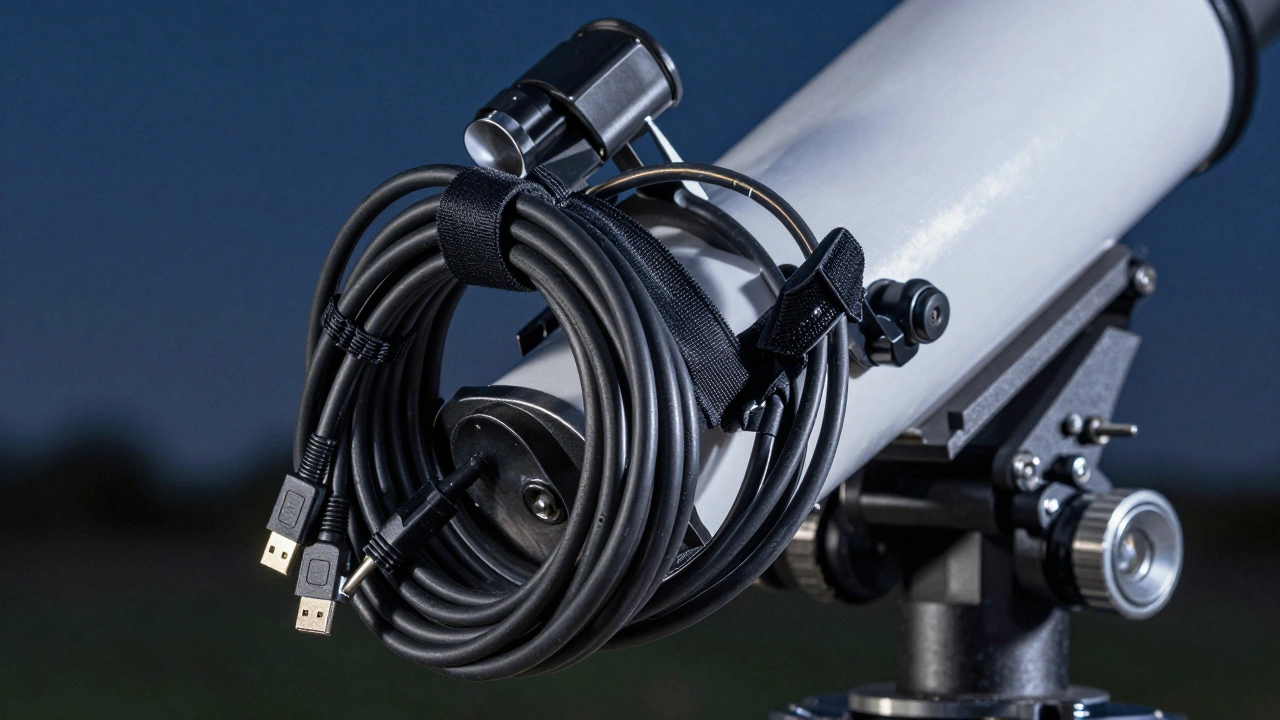
If you ask any experienced astrophotographer what they fear most during a flip, they'll say "cables." When the mount rotates 180 degrees, every wire-USB, power, dew heater-is pulled in a new direction. If you have a loop that's too tight, the mount will literally rip the cable out of the port or, worse, pull the entire telescope off balance.
The secret is to create a "service loop." This is a generous coil of cable that allows for full movement in all directions. Use Velcro ties to secure cables to the mount's axes rather than the tripod legs. If the cable is tied to the leg, it's a ticking time bomb. By securing it to the Right Ascension (RA) Axis, the cable moves *with* the mount, reducing the strain on the connectors.
Software Automation and Potential Pitfalls
Most modern control suites handle the flip automatically. They detect when the RA axis is approaching the limit, stop the tracking, rotate the mount, and then re-sync. However, automation can lead to laziness. A common mistake is trusting the "Auto-Flip" without checking the Meridian Flip Offset settings.
Depending on your mount's firmware, the "limit" might be set too wide, causing the telescope to hit the tripod before the software triggers the flip. Conversely, if the limit is too narrow, you might flip too early, losing valuable imaging time. Test your flip during the day using a terrestrial object (like a distant tree or pole) to see exactly where the physical stop is. This "dry run" prevents expensive gear crashes in the middle of the night.
Dealing with the 'Meridian Flip' in Different Setup Types
Not all setups react to the meridian in the same way. If you are using a Dobsonian Telescope on an equatorial platform, your flip is much simpler because the movement is restricted. However, for those using massive Siderostat setups or permanent piers, the flip is often managed by the pier design itself, allowing for much wider movement before a collision occurs.
For those with a Alt-Azimuth Mount, the meridian flip doesn't exist in the same way, but you face "field rotation." This is why equatorial mounts remain the gold standard for long-exposure work, despite the headache of the flip. You trade the convenience of a simple mount for the ability to track a target for ten hours without the image rotating in the frame.
Do I have to do a meridian flip every night?
Only if your target crosses the meridian during your imaging session. If you start imaging after the target has already crossed the meridian (meaning it's in the western half of the sky), you can track it until it sets without ever needing to flip.
Can a meridian flip ruin my image?
The flip itself doesn't ruin the image, but the gap in data does. You cannot take a single continuous exposure across a flip. You will have a break in your sequence. Additionally, if the re-acquisition isn't perfect, your subsequent frames might be slightly off-center, requiring more aggressive cropping and alignment in post-processing.
What is the best software for managing flips?
N.I.N.A. (Night Sky Imaging Notebook Astronomy) is widely considered the gold standard for PC users because of its advanced sequencing and plate-solving integration. For those using ZWO gear, the ASIAIR provides a very streamlined, automated flip process that is highly reliable for beginners.
How do I stop my mount from crashing during a flip?
First, implement a strict cable management system with service loops. Second, set your mount's meridian limits conservatively so it flips before it physically touches the tripod. Finally, always perform a daytime test to verify the range of motion.
Does a meridian flip affect polar alignment?
No, the flip does not change the polar alignment of the mount's axis. However, it can reveal errors in your alignment. If your mount is slightly off-pole, the discrepancy in where the telescope points after a flip will be more noticeable, often requiring a larger correction during the plate-solving phase.
Next Steps and Troubleshooting
If you're just starting out, don't let the fear of the flip keep you from imaging targets that cross the meridian. Start by practicing "manual flips." Move your mount to the target, then intentionally flip it and try to re-center the target using only your hand controller. Once you're comfortable with the physical movement, introduce plate-solving software to automate the process.
If you find your mount is consistently struggling with the flip, check your balance. A telescope that is too "east-heavy" or "west-heavy" can put undue strain on the gears during the 180-degree rotation, leading to erratic movement or motor stalls. Aim for a neutral balance, or a very slight east-heavy bias to keep the gears engaged during tracking.